 Writers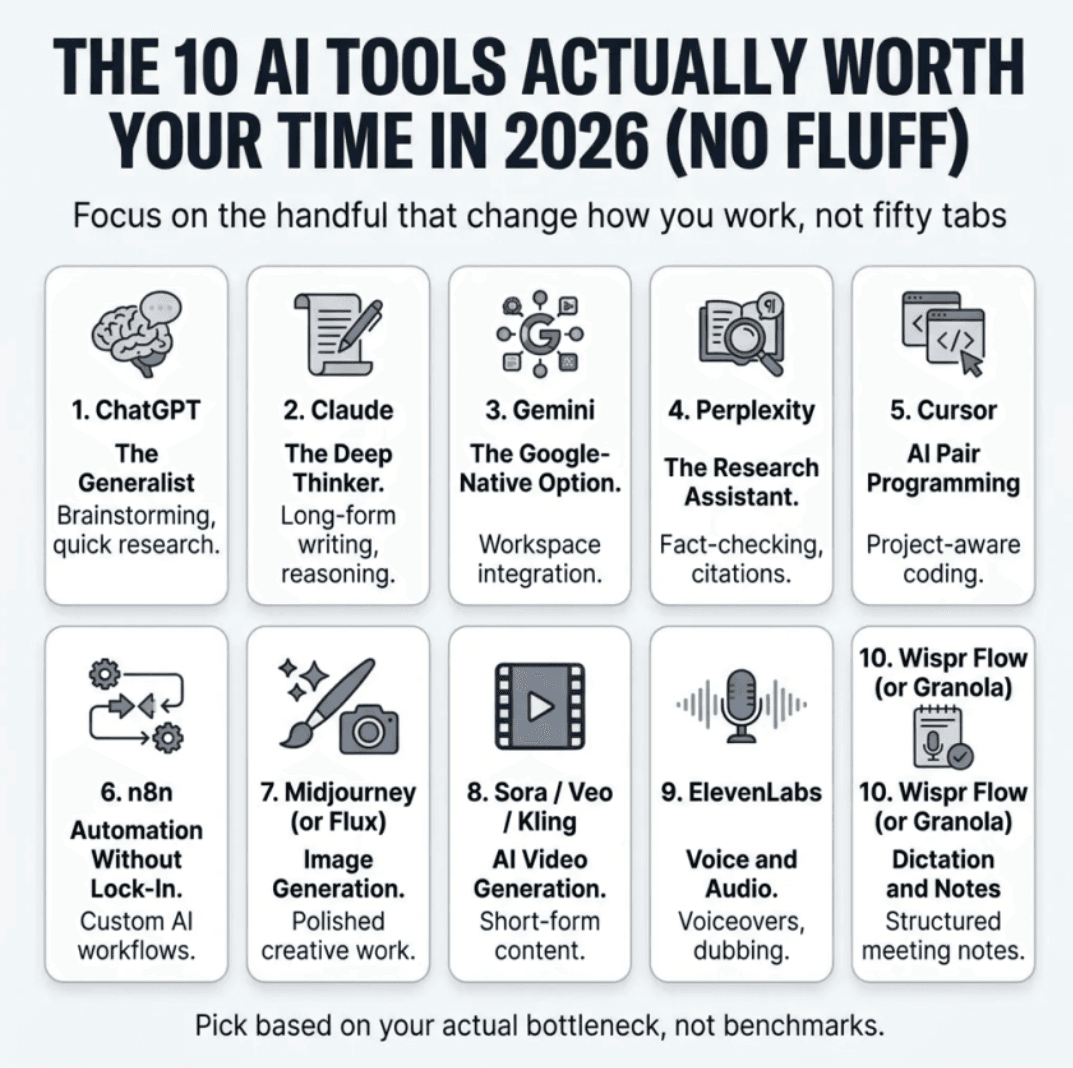
Every "best AI tools" list promises to save you hours then hands you fifty tabs and zero clarity. You don't need fifty tools. You need the handful that actually change how you work, and a straight answer on which one does what.
Here are 10 AI tools worth trying in 2026, why they matter, and how to actually use them.
1. ChatGPT — The Generalist
If you're only going to use one AI tool, this is still the safe pick. It handles everything from quick questions to image generation to research, and its voice mode remains ahead of the competition.
Try it for: brainstorming, quick research, drafting anything from emails to code snippets.
2. Claude — The Deep Thinker
Claude is the tool people reach for when the writing or reasoning actually matters long documents, nuanced arguments, or code that needs to hold up under scrutiny. It's considered the most versatile option for deep writing and reasoning, and execution-heavy tasks.
Try it for: long-form writing, editing, analysis, and coding through Claude Code.
Tip: If you're doing agentic or multi-step work (research, coding, ongoing projects), Claude Cowork and Claude Code extend the base chat model into something closer to a working teammate.
3. Gemini — The Google-Native Option
Gemini's edge isn't the model in isolation, it's where it lives. It's woven into Search, Gmail, Docs, Android, YouTube, Chrome, and Firebase, so if you already work inside Google Workspace, it understands your workflow with almost no setup.
Try it for: anyone already living in Gmail, Docs, and Sheets who wants AI without switching ecosystems.
H3: Which chatbot should you actually pick?
All-around, minimal learning curve: ChatGPT
Long writing, reasoning, coding: Claude
Already deep in Google Workspace: Gemini
Most people who "can't decide" don't need to — pick based on where you already work, not which one wins a benchmark.
4. Perplexity — The Research Assistant
When ChatGPT or Claude give you an answer, you often have to double-check it. Perplexity's whole design is built around not making you do that.
Try it for: research where you need citations, fact-checking, and competitive analysis without ten open browser tabs.
Tip: Pair it with a writing tool. Research in Perplexity, then draft in Claude or ChatGPT — don't ask one tool to do both jobs.
5. Cursor — AI Pair Programming, Not Autocomplete
Cursor has moved past being a smarter autocomplete. It's closer to pair programming with an engineer who already knows your codebase, and it's shifting developers' time away from boilerplate and toward reviewing architecture and logic instead.
Try it for: developers who want an editor that understands the whole project, not just the current file.
6. n8n — Automation Without Vendor Lock-In
If Zapier feels limiting and building agents from scratch feels like overkill, n8n sits in the middle. It's built for creating custom AI agents and workflow automation, particularly useful where data sovereignty matters, and it recently gained major institutional backing when SAP invested at a valuation of roughly $5.2 billion.
Try it for: teams that want to own their automation infrastructure instead of renting someone else's.
H3: When do you actually need an automation tool?
If you're manually copying data between apps, sending the same follow-up message twice a week, or building "AI workflows" out of copy-paste, that's your sign.
7. Midjourney (or Flux) — Image Generation
Midjourney still leads on aesthetics. It produces some of the best-looking, most cinematic AI art available, at a point where the real challenge isn't generating an imagem, it's generating one that looks intentional and professionally designed. If you want an open-source alternative you can run locally, Flux is the technical pick. It offers best-in-class prompt adherence, strong photorealism, and a fast Schnell variant, though it lacks a native chat interface and has a steeper learning curve.
Try it for: Midjourney for polished creative work; Flux if you want control and don't mind the setup.
8. Sora / Veo / Kling — AI Video Generation
AI video stopped being a novelty. These tools now generate footage from text prompts, images, or existing clips at a quality good enough for real commercial use. For realistic motion — like a person picking something up without it looking glitchy — Kling is currently the strongest option, with its latest model impressing testers on character identity and continuity across scenes.
Try it for: short-form marketing content, product demos, and social clips — not yet full replacements for a video team.
9. ElevenLabs — Voice and Audio
Voice AI has quietly gotten good enough to matter, which is why it's edged out slower-moving tools on most 2026 rankings.
Try it for: voiceovers, podcast editing, multilingual dubbing, and accessibility features.
10. Wispr Flow (or Granola) — Dictation and Notes
Not every useful AI tool is a chatbot. Wispr Flow turns speech into clean, formatted text in real time; Granola quietly turns meetings into structured notes without anyone noticing a bot is running.
Try it for: anyone who thinks faster talking than typing, or who's tired of writing meeting notes by hand.
How to Actually Choose (Instead of Trying All 10)
Don't install everything at once. Pick based on your actual bottleneck:
Writing slows you down → Claude or ChatGPT
Research eats your time → Perplexity
You're duct-taping apps together → n8n
You code daily → Cursor
You create visual or video content → Midjourney/Flux + Kling/Veo
Most people find real value in two or three tools used well — not ten tools used badly.
Final Thoughts
The AI tool landscape in 2026 isn't about finding the one model that does everything. It's about matching the right tool to the actual friction point in your day. Start with one bottleneck, try the tool built for it, and only add more once that one earns its place.
Your move: Pick the single task that wastes the most time in your week, try the matching tool from this list for seven days, and see what changes.