 Writers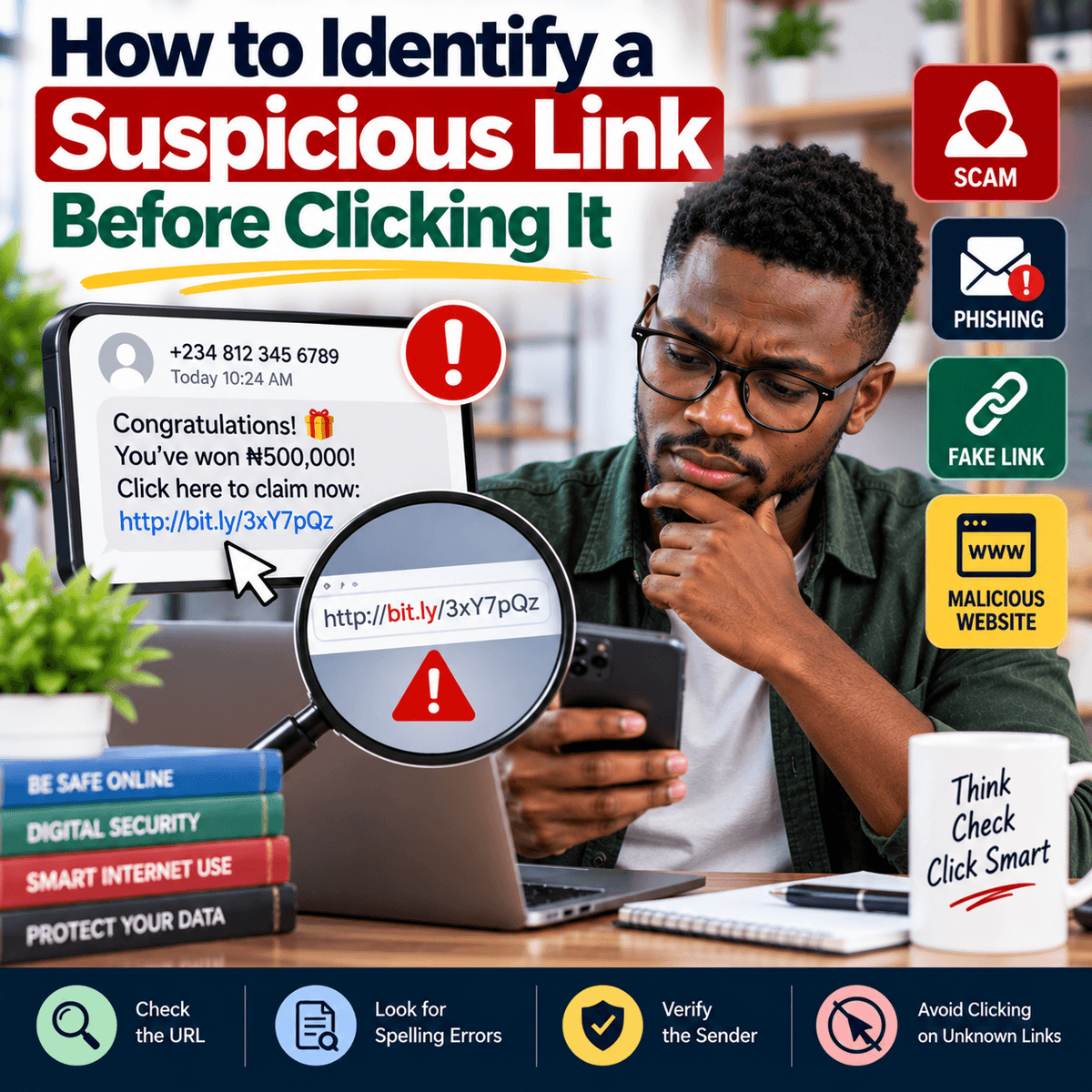
Links are a normal part of using the internet. We receive them through email, WhatsApp, text messages, social media, online advertisements and other websites. A link can take you to useful information, an online store, a payment page, a job application or a service you use every day. However, not every link is safe. Criminals often send misleading links to trick people into visiting fake websites where they may be asked to enter passwords, bank details, card information or other personal information. Some messages may claim that your bank account has been restricted, your social media account will be closed, you have won a prize, a parcel is waiting for you or an urgent payment needs to be made. The message is usually designed to make you react quickly without checking whether it is genuine. This is why learning to examine a link before clicking it is an important digital safety habit. Start by considering the message itself. Ask whether you were expecting it, whether you know the sender and whether the request makes sense. A message does not automatically become trustworthy because it contains the name or logo of a company you know. Logos, names and photographs can be copied. Even a message that appears to come from someone you know deserves attention if the language, request or link seems unusual. Their account may have been taken over, or someone may be pretending to be them. Instead of allowing urgency or curiosity to decide for you, take a few moments to examine the message and the link before doing anything.
One of the most useful things to check is the website address behind the link. Fraudulent websites often use addresses that look similar to genuine ones. A criminal may change one letter, add an extra word, use an unusual spelling or create an address that includes the name of a trusted company without actually belonging to that company. For example, seeing the name of your bank somewhere in a long web address does not prove that the page belongs to the bank. The important part is the actual domain name. Be especially careful with shortened links because they can hide the full destination. On a computer, you can often place your mouse pointer over a link without clicking it to see where it leads. On a phone, some apps allow you to press and hold a link to preview or copy the address, but the exact behaviour depends on the device and application. Do not open the link simply because you want to investigate it. If a message claims to come from your bank, mobile network, email provider or another important service, a safer option is often to open the company's official app yourself or type the known official website address directly into your browser. You can then check your account for the claimed problem. Be careful with links containing strange combinations of letters and numbers, unexpected domains or spelling changes that are easy to miss. Also remember that the padlock symbol or “https” does not prove that a website is legitimate. It means the connection to the site is encrypted, but fraudulent websites can also use encrypted connections. You still need to confirm that you are visiting the correct website.
The words surrounding a suspicious link can provide additional warning signs. Fraud messages often try to create fear, excitement or urgency because these emotions can make people act without checking carefully. A message might say, “Your account will be blocked today,” “Confirm your details immediately,” “You have won a cash reward,” or “Click now to avoid losing access.” Another common approach is to promise something unusually attractive, such as free money, a very expensive product at an extremely low price, an unexpected government payment, a job that requires no interview but offers unusually high pay, or an investment that promises very large returns with little or no risk. A genuine opportunity can sometimes be urgent, so urgency alone does not prove that a message is fraudulent. The important point is to verify the claim independently. Do not use the phone number, email address or link provided in a suspicious message as your only method of verification. Find the organisation's official contact information through a source you already trust. Poor spelling and unusual grammar can sometimes be warning signs, but they should not be your main test because fraudulent messages can be professionally written. Modern tools can help criminals produce messages that look polished and convincing. Personal information in a message is not proof either. Someone may know your name, workplace, phone number or other information from public sources or previous data leaks. The safest approach is to judge the request itself and verify it through an independent channel before entering information or sending money.
You should be particularly careful when a link leads to a page asking for sensitive information. Login passwords, card numbers, PINs, verification codes and one-time passwords should be treated with care. A fake page can be designed to look almost identical to a familiar login page, including the same colours, logo and layout. If you enter your username and password, the information may be sent directly to the person operating the fake site. The attacker may then try to access your real account. This is why checking the website address before entering login details is important. Extra sign-in protection, often called two-factor or multi-factor authentication, can also add another layer of security to important accounts, although you should still protect any verification code you receive. Never send a one-time code to someone simply because they claim to be a customer service representative or another trusted person. Password managers can also be useful because some will recognise the correct website associated with a saved account and may not automatically fill your password on a different domain. However, no single security feature should replace careful checking. Keep your browser, phone and computer software updated because updates often include important security fixes. You can also use the security features built into modern browsers and devices, which may warn you about some known dangerous websites. These protections are helpful, but they cannot identify every new fraudulent page. Your own decision to stop, check and verify remains an important part of staying safe online.
If you accidentally click a suspicious link, what you should do next depends on what happened. Simply opening a page does not automatically mean that your accounts have been taken over, so avoid panic and focus on practical action. Do not enter any information, download unexpected files or approve requests from the page. Close it and make sure your device and browser are updated. If you entered a password on a page you later discovered was fake, change that password immediately using the genuine website or official app. If you use the same password on other accounts, change it there as well and use a different password for each important account. Review recent account activity and enable extra sign-in protection where available. If you provided bank or payment card information, contact your bank or payment provider through its official channel as soon as possible and follow its instructions. If you downloaded a suspicious file or application, stop interacting with it and use trusted security tools or seek qualified technical help if you are unsure what to do. You should also warn friends, relatives or colleagues if a suspicious message was sent from your account. Most importantly, build the habit of checking before clicking. A few seconds spent examining a link can prevent hours or days of trying to recover an account, dispute a payment or protect personal information. Online scams continue to change, so there is no single sign that will identify every dangerous link. The most reliable habit is simple: do not allow fear, excitement, curiosity or urgency to rush you. Examine the address, question unexpected requests, avoid giving sensitive information through unverified pages and confirm important messages through official channels before taking action.