 Writers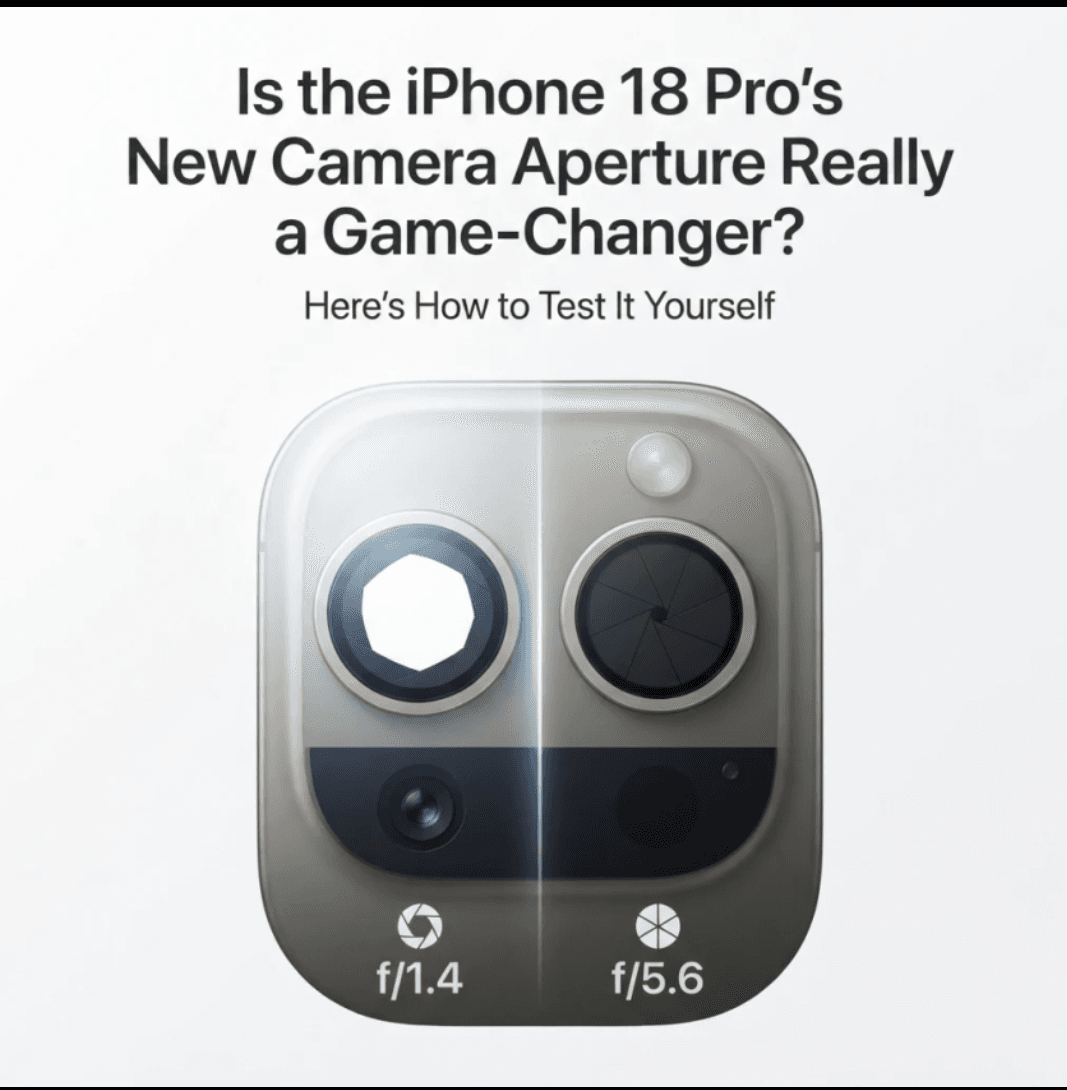
Every September, new iPhones arrive with big promises. Most upgrades are incremental, so it's fair to ask whether this year's headline feature will change how you take photos or is just a good line for the keynote.
This year, the feature getting the most attention is the camera. With prices starting at $1,199 for the iPhone 18 Pro and $1,299 for the Pro Max, it's worth knowing what you're paying for. Here's what the feature is, why it matters, and a simple way to check whether it improves your own photos. (Fox Business)
What Apple Announced
Apple's new Pro cameras use a reimagined design with a DSLR-like aperture, aimed at better low-light performance and more control over depth of field. Before the event, reports suggested the Pro models would otherwise look similar to the iPhone 17 Pro, which makes the camera the main story. (Fox Business) (MacRumors)
The phones were available to pre-order from September 12, with launch on September 18. Reviews and real-world comparisons are now arriving. (MacRumors)
Why Aperture Matters
Aperture is the opening in a lens that controls how much light reaches the sensor. It affects two things:
Brightness. A wider opening lets in more light, which helps in dim rooms and evening scenes.
Depth of field. A wider opening gives a shallower focus zone, so your subject is sharp and the background blurs. A narrower opening keeps more of the scene in focus.
Traditional phone cameras have used a fixed aperture, which is a compromise: wide enough for low light, but not adjustable for scenes that call for more sharpness. A variable aperture lets the lens adapt to the situation, as dedicated cameras do.
That's the promise. Whether it shows up in everyday photos depends on how you shoot.
The Second Feature Worth Knowing
Apple also said the new phones can help detect AI-generated photos by creating an unalterable Reference Image that is stored alongside the edited version. This is less about photo quality and more about trust, and it may matter to journalists, sellers, and anyone who shares photos as evidence. It's worth understanding, but this guide focuses on the aperture because it's the part you can test with your own eyes. (Fox Business)
Five Real-World Tests
Don't rely on marketing samples. Take the same shots on the new phone and on your current one, ideally side by side in a store or during a return window.
1. Dim indoor lighting
Photograph a restaurant table or a living room lit only by lamps. Zoom in on the image and look for:
Grainy noise in dark areas
Blurry edges from slow shutter speeds
Natural colors rather than a muddy orange or gray cast
If the new phone is visibly cleaner without heavy processing, the wider aperture is doing its job.
2. Portraits without Portrait Mode
Have someone stand a few feet from a cluttered background and take a normal photo, not Portrait Mode. Compare how naturally the background softens. Optical blur tends to look smoother around hair and glasses than software blur, so check those edges closely.
3. Close-ups
Photograph a plant, a coffee cup, or a product at close range. Depth of field is most noticeable up close. See whether the phone gives you a sharp subject with pleasing background blur, or whether it struggles to decide what should be in focus.
4. Bright landscapes
This test checks the other side of the feature. In bright daylight, take a wide scene with buildings, trees, and sky. A narrower aperture should help keep the foreground and distance sharp. Look at the corners of the frame, where lenses often get softer.
5. Moving subjects
Photograph a pet, a child, or a passing cyclist. Better light-gathering can allow faster shutter speeds, which freeze motion. Check how many shots come out sharp out of ten attempts. Consistency matters more than one lucky frame.
How to Judge the Results
Photos can look different on a phone screen than they do at full size, so use a simple checklist:
View at 100%. Zoom all the way in on both photos. Differences that vanish on a small screen may still matter if you print or crop.
Judge your own habits. If you mostly take bright outdoor photos, low-light gains will matter less to you.
Compare like with like. Use the same scene, same time, and same zoom level.
Ignore the filters. Turn off styles and effects so you're comparing the camera, not the presets.
Who Will Notice the Difference
Based on how aperture works, these people are most likely to benefit:
Evening and indoor shooters, such as parents photographing family events or diners and concert-goers
Small-business owners who photograph products and want natural background blur without editing
Hobbyist photographers who like manual control and want it in their pocket
Those least likely to notice a big change are people who mainly take bright daytime snapshots and share them on social media, where images are heavily compressed anyway. If your current phone handles those shots well, the upgrade may not justify the price on camera grounds alone.
Questions to Ask Before You Buy
Does my current phone struggle in the situations I care about most?
Would I use the extra control, or leave everything on automatic?
Am I upgrading for the camera, or for something else?
If you're on an older model, you'll likely see gains from several improvements at once, not just the aperture. If you already own a recent Pro, the case is weaker, and waiting for independent reviews is reasonable.
A variable aperture is a meaningful step for phone photography, and it addresses a limitation phone cameras have had for years. Whether it's a "game-changer" depends on what you shoot. For low-light and portrait-style photography, it has real potential. For casual daylight snapshots, expect a smaller difference.
The best approach is to test it yourself. Take the same five shots on your current phone and the new one, view them at full size, and decide based on your own photos. If the difference is clear, you'll know the upgrade is worth it. If you have to squint to find it, keep your money.